Draw a flow sheet#
flowsheet() lays out a resolved S223 or WaTr model as a process flow sheet.
Streams are lines, not boxes: each connection is drawn between the equipment
it joins, coloured by its medium. A connection with properties is labelled
with them; its name appears as a tooltip in SVG output.
Draw a model#
from plumb import Model, connect, flowsheet
from plumb.qudt import quantity_kinds, units
from plumb.watr import LevelSensor, Pump, Tank, enums
from plumb.watr.drinking_water import (
    ChlorinationStage,
    ClarificationStage,
    RapidSandFiltrationStage,
)

values = enums.values
model = Model("urn:example:flowsheet#")
with model:
    with model.system("plant"):
        intake = Pump("intake-pump")
        clarifier = ClarificationStage("clarifier")
        sand_filter = RapidSandFiltrationStage("sand-filter")
        chlorination = ChlorinationStage("chlorine-contact")
        clearwell = Tank("clearwell", has_role=[values.Role_Storage])
        sludge_tank = Tank("sludge-holding")

raw = connect(intake, clarifier.inlet, name="raw-water")
connect(clarifier.clarified_water, sand_filter.inlet, name="settled-water")
filtered = connect(sand_filter.filtered_water, chlorination.inlet, name="filtered-water")
connect(chlorination.outlet, clearwell, name="disinfected-water")
connect(clarifier.sludge, sludge_tank, name="sludge", medium=values.Fluid_Sludge)
model["plant"].boundary(intake.port("river-intake", direction="in"))

raw.quantity("raw-turbidity", 18.0, unit=units.NTU, kind=quantity_kinds.Turbidity)
raw.sensor("raw-flow", kind=quantity_kinds.VolumeFlowRate, unit=units.M3_PER_DAY)
filtered.sensor("filter-turbidity", kind=quantity_kinds.Turbidity, unit=units.NTU)
clearwell.sensor("clearwell-level", kind=quantity_kinds.Length, unit=units.M,
                 sensor_class=LevelSensor)
intake.actuator("intake-speed", kind=quantity_kinds.Frequency, unit=units.HZ)

flowsheet(model, title="Surface-water plant")
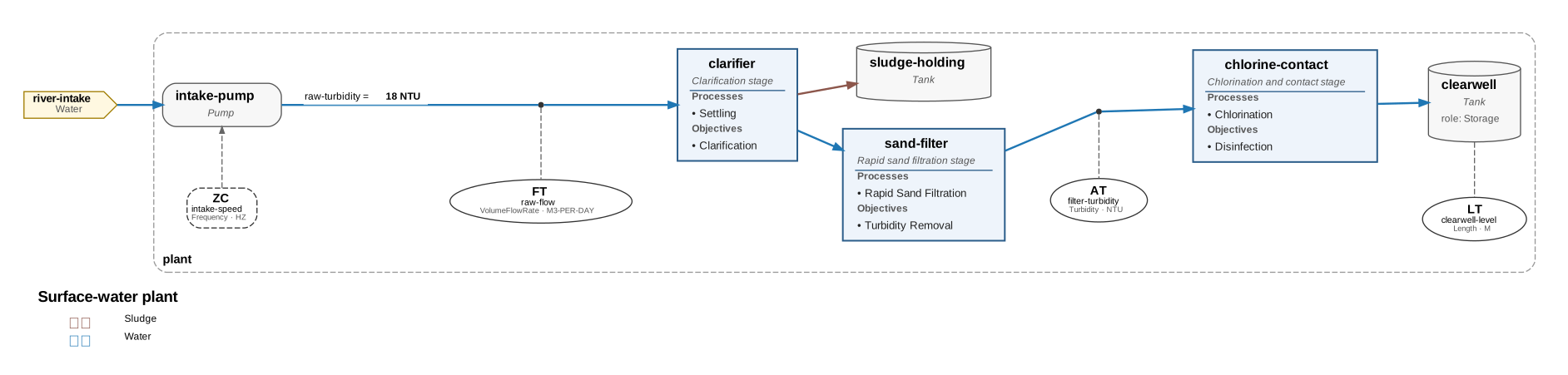
The model is resolved before drawing, so deferred connections appear on the connection points the solver chose. What you see:
Unit operations (equipment with
has_processorhas_treatment_objective) list those inside their box. Other equipment, such as pumps and tanks, shows its name and type.Sensors are ISA-style bubbles (
FT,AT,LT, …) and actuators are dashedZCboxes, drawn beside the line or equipment they belong to. The quantity they observe or command is shown on the instrument rather than repeated as a stream property.Systems are dashed clusters. A system’s boundary point that has no connection becomes a feed or product terminal.
Change the layout#
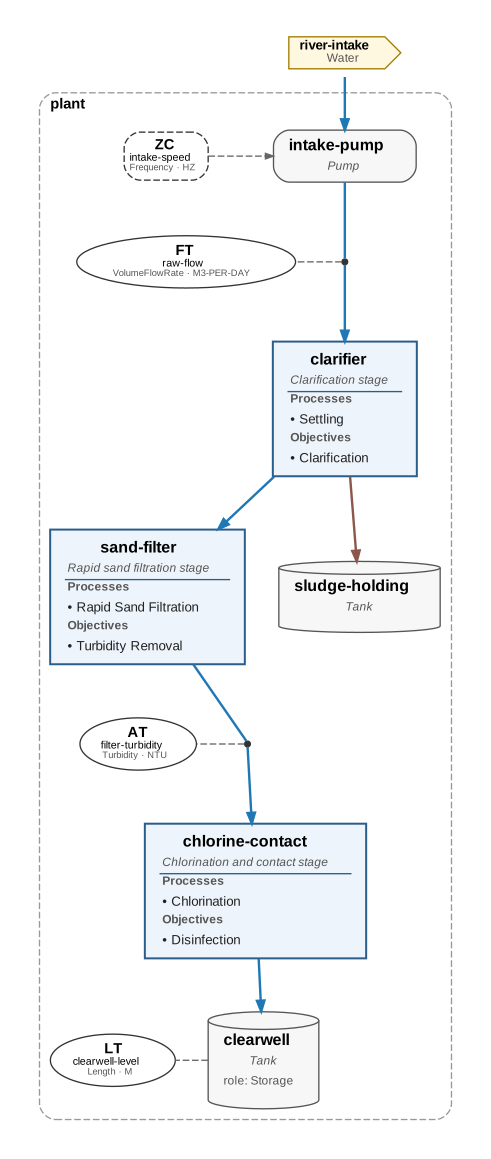
direction="TB" stacks the train top to bottom instead of left to right,
which suits long trains on a narrow page:
flowsheet(model, direction="TB", properties=False, legend=False)
Draw a saved model#
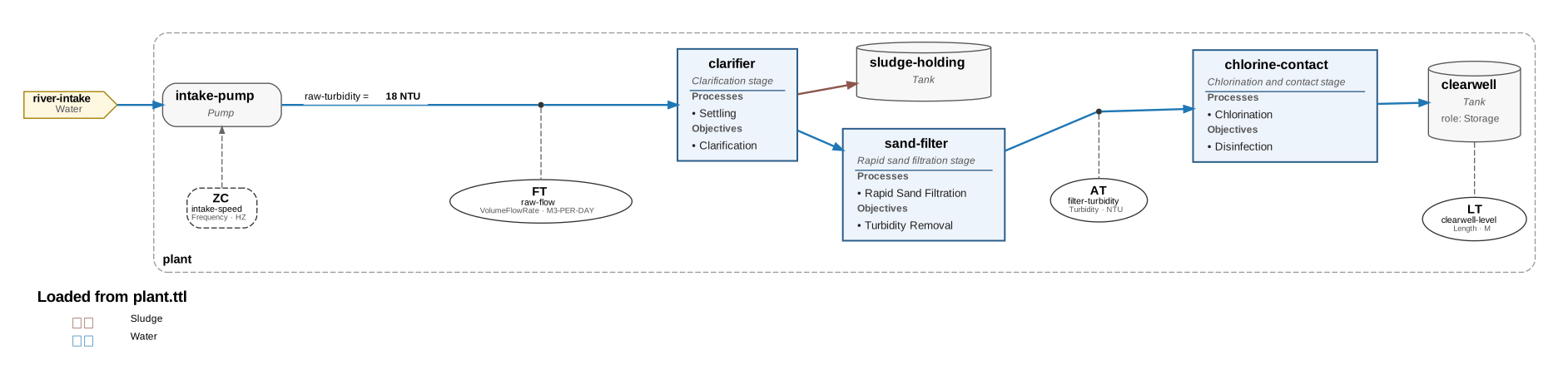
flowsheet() reads the RDF view of the model, not the Python objects you
authored, so a Turtle file loaded back in draws the same sheet. Loading picks
the WaTr and drinking-water packages from the file’s owl:imports:
from plumb import Model

model.save("plant.ttl")
loaded = Model.from_graph("plant.ttl")
flowsheet(loaded, title="Loaded from plant.ttl")
A ResolvedModel from model.compile() works too, and skips the resolve step.
Simplify or export#
sheet = flowsheet(model, properties=False, instruments=False, legend=False)
sheet
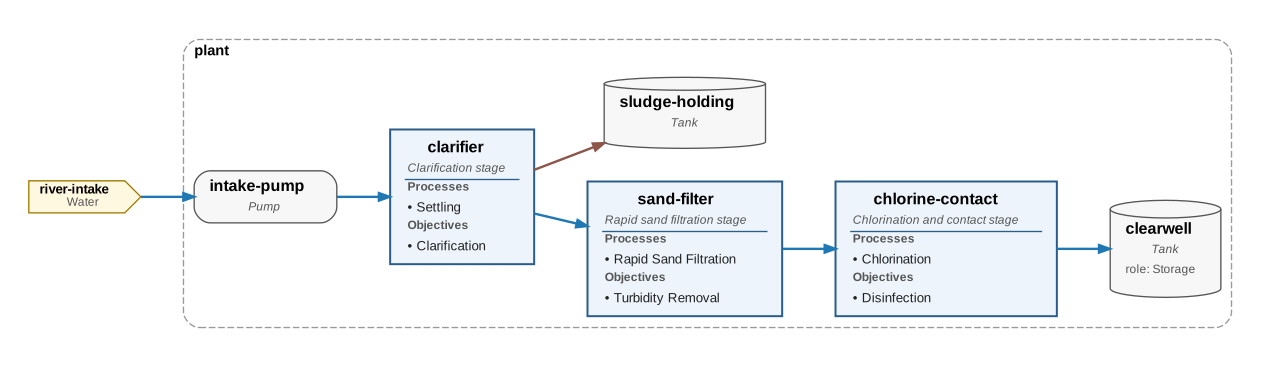
sheet.save("plant.svg") writes SVG; .png and .pdf work too, and .dot
writes the Graphviz source in sheet.source. Rendering needs Graphviz’s
dot on PATH; the source does not.